
High-resolution images look great, but they can significantly slow down page load times and consume massive amounts of storage.
While backend compression tools are common, building a client-side image compressor offers a massive advantage: privacy. When you process images directly in the browser, no user data ever touches a server.
In this tutorial, you’ll learn how to build a fully functional, browser-based bulk image compressor. You’ll use the HTML5 Canvas API to reduce image file sizes and integrate the JSZip library to package multiple compressed files into a single, convenient ZIP download.
To make this project highly practical, you’ll structure the code as an embeddable widget. By omitting standard HTML boilerplate tags, you can easily drop this snippet directly into a WordPress Custom HTML block or any other CMS without causing layout conflicts.
Prerequisites
To follow along, you should have a basic understanding of:
-
HTML & CSS: Structuring a UI and creating interactive hover/drag states.
-
JavaScript Promises: Handling asynchronous operations like file reading and ZIP generation.
-
The Canvas API: Understanding how browsers can draw and manipulate image data natively.
Table of Contents
Step 1: Build the HTML Structure
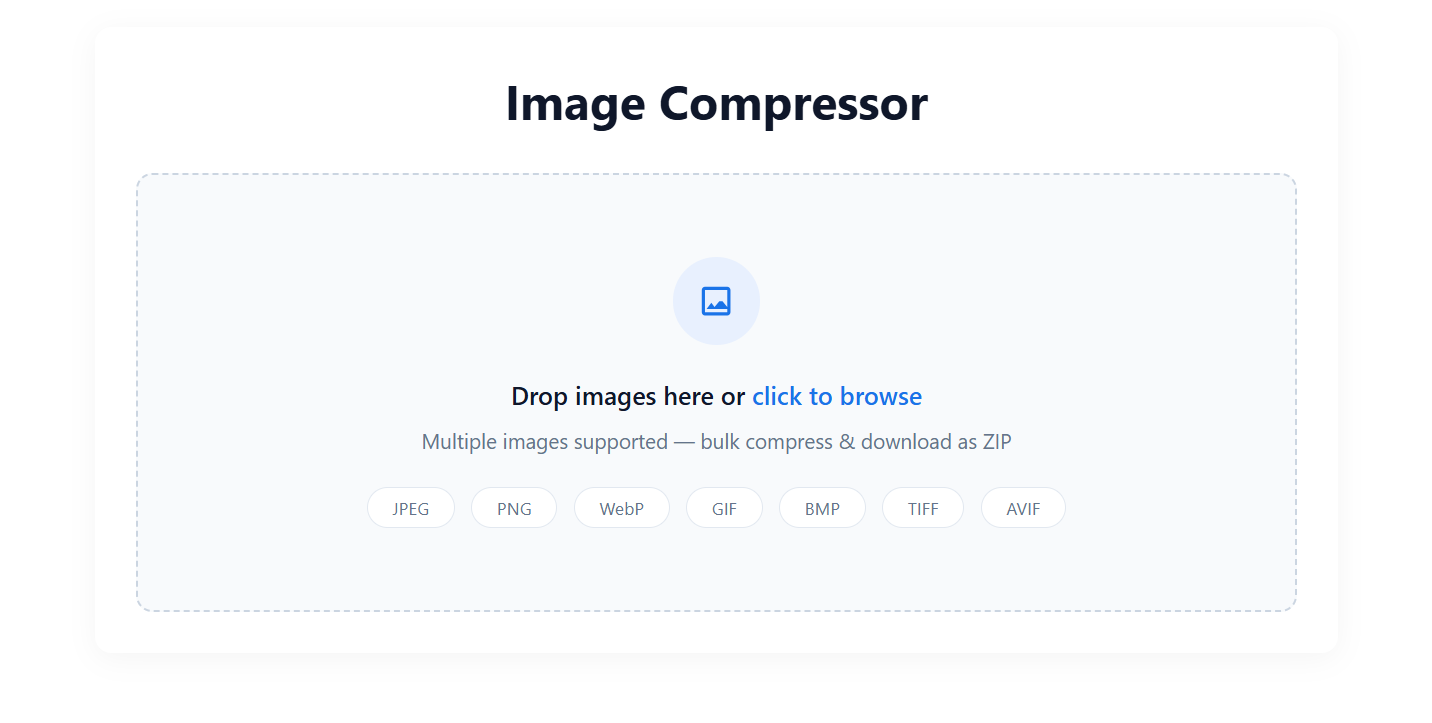
First, you need to create the visual interface. You’ll build a drag-and-drop zone, an invisible file input, and a hidden action panel that appears once the user selects their images.
Add the following code to your file. Notice that you’re including the JSZip CDN link right at the top so your script can access it later.
Image Compressor
Drop images here or click to browse
Multiple images supported — bulk compress & download as ZIP
JPEGPNGWebPGIFBMPTIFFAVIF
0 images selected
Understanding the HTML:
Step 2: Style the Interface with CSS
Next, you'll apply styling to make the tool look professional and responsive. You'll use a clean, modern aesthetic with a specific brand accent color (#1A73E8) to highlight interactive elements.
Add this
Understanding the CSS:
-
The
.dragoverClass: This class alters the border and background color of the dropzone. You'll use JavaScript to apply this class dynamically when a user hovers a file over the area, providing crucial visual feedback. -
Unique Prefixes: Notice how every class starts with
ic-(Image Compressor). This acts as a CSS namespace, ensuring your tool's styles won't accidentally override or be overridden by other styles on your website.
Step 3: Add the JavaScript Logic
Now comes the engine of the tool. The JavaScript will handle file selection, convert the images using the Canvas API to reduce their size, and package them into a ZIP file. Add this
Understanding the JavaScript:
-
Drag and drop events: The
dragover,dragleave, anddropevent listeners work together to capture files dragged from a user's desktop directly into the browser window. -
The canvas trick: Browsers can't magically compress files on their own. Instead, the
compressImagefunction reads the image, draws it onto an invisible HTML5, and then uses thecanvas.toBlob()method to export a new, optimized version of that image. The0.7argument sets the compression quality to 70%. -
Extension handling: Because the canvas exports images as either JPEG or WebP, the script actively checks and renames the file extensions (for example, changing a
.pngfilename to.jpg) before packaging them. -
Asynchronous zipping: A
forloop usesawaitto compress each image sequentially. Once complete, JSZip bundles the blobs into a folder and triggers a programmatic click event on a temporary anchortag to download the final.zipfile.
Conclusion
You've successfully built a fast, client-side bulk image compressor.
By leveraging the Canvas API alongside JSZip, you created a highly practical utility that saves users bandwidth and storage without compromising their privacy. Because the entire codebase is self-contained without HTML boilerplate, it's ready to be deployed instantly on almost any modern web platform.
If you want to see this codebase deployed in a live, production environment, you can test out the functionality over at this Live Image Compressor Tool. Happy coding!
